There's a common myth that keeping a prepaid number alive means paying every month. For most carriers it doesn't. It means doing one small thing the carrier counts as activity before the inactivity window runs out. Often that costs cents, sometimes nothing.
The catch isn't the cost. It's knowing what counts, and remembering to do it.
"Keeping it active" isn't the same as "paying every month"
Carriers don't ask you to spend a set amount to hold a number. They ask for a sign that the line is still in use. On most prepaid and pay-as-you-go plans, any chargeable activity resets the clock:
- An outgoing call you pay for
- A sent SMS that's billed
- A small amount of paid mobile data (not Wi-Fi)
- A top-up or recharge
A recharge is on that list, but it's just one option — usually the most expensive one. A single paid text can do the same job.
What almost never counts: free internet-based apps. WhatsApp, iMessage, FaceTime and Telegram run over data or Wi-Fi and don't touch your carrier's billing. You can use them daily and still let the number lapse, because the carrier sees a silent line.
The cheapest action that resets the clock
The goal is the smallest billable thing your carrier accepts. In practice that usually means:
- Send one paid SMS to a number that will receive it.
- Or make a short billable call.
- Or use a tiny bit of paid mobile data with Wi-Fi turned off.
Which of these qualifies, and how long it buys you, is different for every carrier — and some require a top-up specifically. Check your carrier's rule first; our carrier comparison breaks down the major ones with sources.
The real problem isn't the rule. It's the date.
Once you know the action, keeping a number alive is easy — for one number, for one month. It falls apart across several lines and several months. Different SIMs have different windows. The numbers you most need to keep are the ones you never open, so you never see the deadline coming. By the time you remember, the grace period may already be gone.
This is a tracking problem, not a discipline problem. You don't need more willpower; you need the right date in front of you, per line, before it's too late.
From a 30-second chore to a 2-second tap
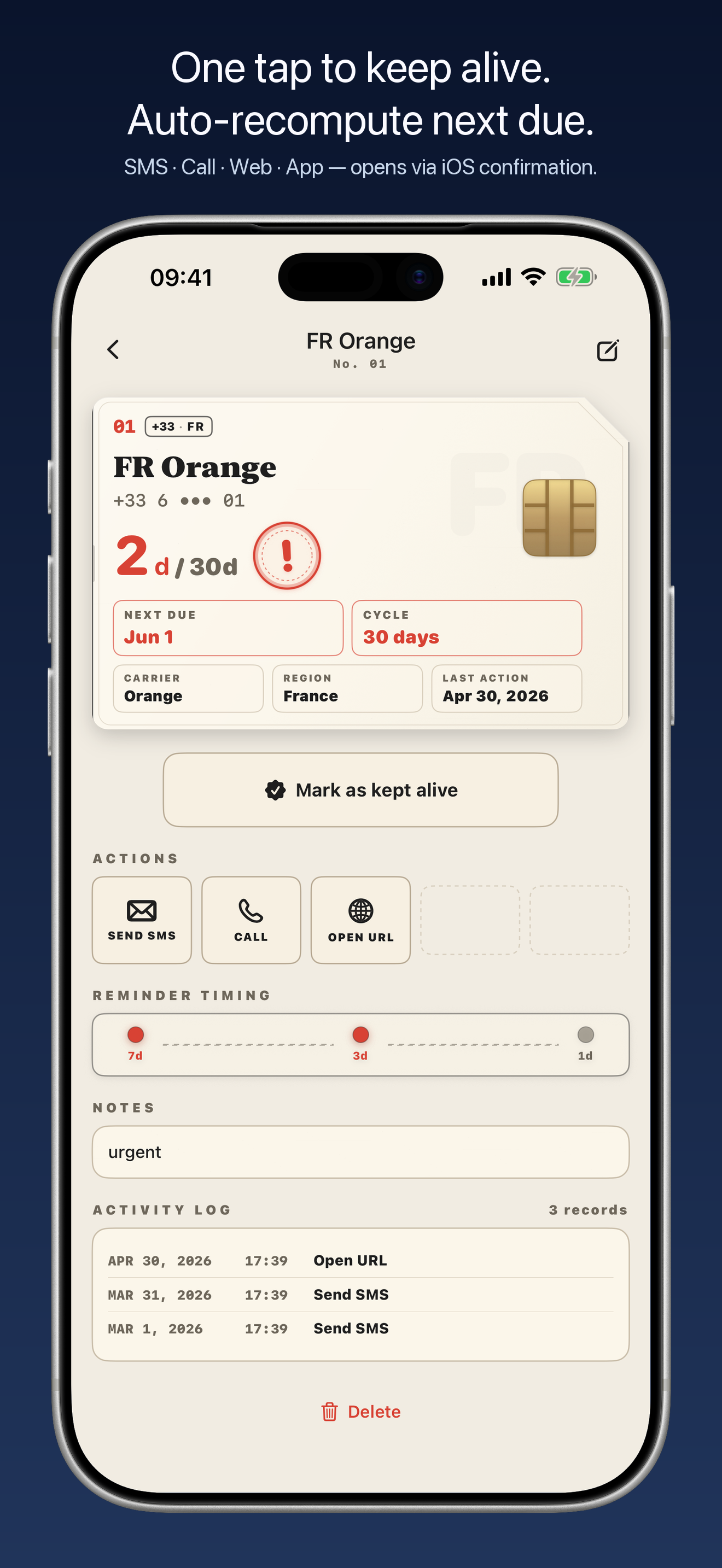
KeepSim is built around exactly this. You save each line's renewal window and the cheapest keep-alive action for it — a prepared SMS, call, website, or carrier-app shortcut. When the date approaches, a widget and a local notification flag it, and a tap drops you straight into that prepared action. The thinking is done in advance; all that's left is to fire it.
One thing worth knowing: for an SMS or call, KeepSim opens an in-app confirmation first, then hands off to your Messages or Phone app. iOS doesn't let any third-party app send texts or place calls silently — and honestly, that's a feature here. The confirmation makes sure you fire the right action on the right line, instead of accidentally texting from the wrong number.
Keep every number alive in one tap
Save the cheapest keep-alive action for each line once, get a heads-up before the deadline, and fire it in a tap. Local-first, no account.
Get KeepSim on the App StoreCommon questions
Do I have to top up to keep my prepaid number?
Usually not on its own. Many carriers reset the clock with any chargeable activity — a paid SMS or call, a little paid data, or a top-up. A recharge is one option, not the only one. Rules vary, so confirm yours.
Does sending a WhatsApp message keep my number active?
Usually no. WhatsApp and similar apps run over data or Wi-Fi and don't count as carrier activity. You typically need a billable call, SMS, paid data, or a top-up.
What is the cheapest way to keep a number active?
Where allowed, a single low-cost billable action — one paid SMS, a brief call, or a tiny amount of paid data — usually resets the clock without a full recharge. Check what your carrier counts first.
How often do I need to use it?
It depends on the carrier's inactivity window, which can run from about a month to a year. Do a qualifying action before that window closes.
Last reviewed June 2026. Carrier policies change and vary by country — what counts as activity and how long it lasts differ by provider, so treat this as general guidance and confirm the exact rule with your carrier before relying on it. KeepSim is a personal reminder tool; it does not provide telecom service or send messages and calls on your behalf.